Beauty & Salons
WhatsApp Booking for Salons A Salon Chatbot That Fills the Calendar
Clients message while your hands are busy with another client. MonoChat answers service and price questions on WhatsApp and Instagram, books the appointment, sends the reminder and hands over to your team when needed.
Or start with $150 of credit, enough for a first month of Growth
- WhatsApp Business API
- Instagram DM
- Web chat
Hi, how much is a cut and blow-dry? Any slot on Saturday?
22:10
Hello! Our service menu is below. For Saturday we have these times available:
22:10
14:30 please, with Sara if possible.
22:11
Appointment confirmed
Cut & blow-dry · Sat 14:30 · Sara
Need to change it? Just reply here
Done, you are booked in. See you on Saturday!
22:11
Reminder: your appointment is tomorrow at 14:30. Will you be joining us?
10:00
Salon chatbot features for beauty businesses
For hair salons, beauty centres, barbers, nail studios, spas and aesthetic studios: the questions and bookings that fill your day, handled in the conversation.
-
Service and price answers
The AI assistant answers questions about services, prices, duration, opening hours and location from your own service menu and content.
-
Appointment booking in chat
Collect the service, preferred staff member, day and time step by step with a no-code flow or a WhatsApp Flows form.
-
Reminders that reduce no-shows
Send confirmations and reminders automatically with approved WhatsApp templates, and let clients confirm or reschedule with one tap.
-
Deposits and payment links
Create a payment link with your own payment provider and send it in the chat for deposits, packages or prepaid treatments.
-
Rebooking and campaigns
Invite past clients back when their next visit is due and announce offers with WhatsApp bulk messaging, only to clients who opted in.
-
Instagram DM handling
Reply to price and availability questions that arrive in Instagram DMs and move them into the same booking flow.
-
Review requests
Ask for feedback or a review after the visit and route unhappy answers to the salon manager.
-
Handover to staff
Colour consultations, complaints and special requests reach the right person with the full conversation history.
Salon booking and client messaging use cases
Pick the part of the client journey you want to automate first, from the first WhatsApp or Instagram message to the review after the visit.
-
Salon Appointment Booking on WhatsApp
Let clients pick a service, stylist and time in chat. -
Appointment Reminders & No-Show Reduction
Confirm, remind and reschedule to cut no-shows. -
Instagram DM Booking for Salons
Turn Instagram DMs and story replies into bookings. -
Booking Deposits & Payment Links
Secure appointments with a deposit link in chat. -
Client Rebooking & Retention Campaigns
Bring clients back at the right interval for each service. -
Aftercare Messages & Review Requests
Send care instructions and ask for reviews after the visit.
Ready-made app in the MonoChat Store
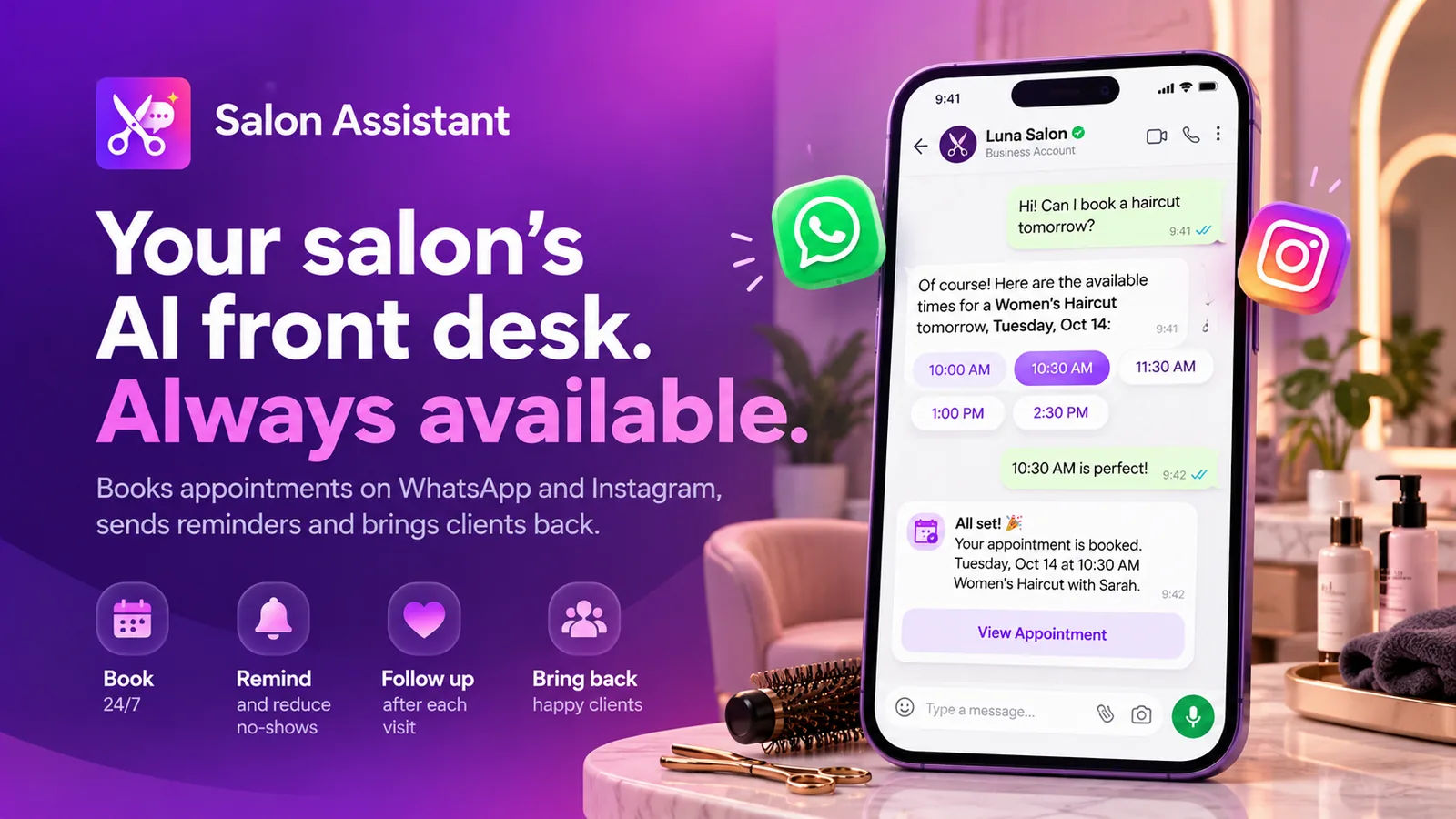
Salon booking
Salon Assistant
An AI front desk for salons that books appointments on WhatsApp and Instagram, sends reminders and brings clients back.
Booking journey
Salon appointment booking on WhatsApp, from first question to confirmed slot
The assistant answers the price question, offers the available times you defined and collects everything reception needs, also after closing time.
- Service, staff member, day and time collected in order
- Deposit link sent when a booking requires one
- Booking passed to your team or your booking system
Booking request
Cut & blow-dry · Sara
Collected in chat
Sat 14:30 · New client · Asked about colour treatment prices · Reminder scheduled
Reminders and rebooking
Appointment reminders and rebooking that keep chairs full
Clients forget, plans change. Automatic reminders give them an easy way to confirm or move the appointment, and a follow-up invites them back.
- Confirmation and reminder before each appointment
- One-tap confirm or reschedule buttons
- Rebooking invitations and offers to opted-in clients
Appointment reminder
WhatsApp template · sent automatically
Message preview
Hi Layla, a reminder of your appointment tomorrow at 14:30 at Nova Beauty Studio. Reply Confirm to keep it or Reschedule to pick another time.
Team inbox
WhatsApp and Instagram DMs in one salon inbox
Messages from WhatsApp, Instagram and web chat land in one shared inbox, so reception and stylists see the same conversation and nobody answers twice.
- Assign conversations by branch or staff member
- Notes and tags on every client
- Response times and enquiry volume in reports
Salon inbox
- WhatsApp Cut and blow-dry on Saturday New
- Instagram Price for gel nails? Bot handled
- WhatsApp Can I move my appointment? Assigned
- Web chat Bridal package details Open
How to start beauty salon appointment automation
Four steps from the first message to a booked appointment.
-
Connect your channels
Connect your WhatsApp Business API number, plus Instagram and web chat if you use them.
-
Add your service menu
Give the assistant your services, prices, durations, staff, opening hours and frequently asked questions.
-
Build the booking flow
Use the no-code builder to collect the booking details, add reminders and decide when a person takes over.
-
Go live and follow up
Take bookings around the clock, then send reminders, review requests and offers to clients who opted in.
Example conversations
Salon chatbot examples on WhatsApp and Instagram
Three everyday salon conversations, handled in the chat from the first question to a booked or paid visit.
-
Answering nail salon price questions on Instagram
A client asks the difference between gel and acrylic in a DM. The assistant answers from the price list and books the appointment in the same chat.
Lumen Nail Studio Business accountHi! What's the difference between gel polish and acrylic, and how much are they?
19:02
Gel polish goes on your natural nails and lasts 2 to 3 weeks ($40). Acrylic extensions add length and last 3 to 4 weeks with infills ($65). Which would you like?
19:02
Gel polishAcrylic extensionsGel polish
19:04
Lovely. The next free times this week:
19:04
Thu 12:30Fri 18:00Sat 10:15Fri 18:00
19:04
Booked
Gel polish · Fri 18:00 · Mia
$40 · about 45 min
See you on Friday! Feel free to send a photo of the colour you like.
19:05
-
Finding the nearest branch of a barber chain on WhatsApp
The client shares their location, the assistant picks the closest branch and books the first free chair there, so each branch gets its own bookings.
Atlas Barber Co. Business accountNeed a haircut in the next hour, which shop is closest?
12:10
Happy to help! Share your location and I will find the nearest branch.
12:10
Send locationLocation shared
Market Street, City Centre
12:11
Atlas Barber Co. · Old Town
0.6 km · Open until 20:00
Next free chair: 12:45 with Jack
Old Town is closest. Shall I book you in?
12:11
Book 12:45Other timesBook 12:45
12:12
Done, Jack will see you at 12:45. Here is the map link for Old Town.
12:12
-
Selling a spa day gift voucher in web chat
A visitor on the website buys a spa day voucher for a friend with a payment link, and the voucher arrives in the chat once paid.
Nova Spa Typically replies instantlyDo you sell gift vouchers? It's my sister's birthday on Saturday.
15:30
We do! Our most popular gifts are below.
15:30
Spa day for one · $120Massage 60 min · $85Custom amountSpa day for one · $120
15:31
Gift voucher · Spa day for one
Valid for 12 months
$120
Who is it for? I will add her name to the voucher. Then you can pay here:
15:31
Pay $120For Hannah. Paid!
15:34
Thank you! Hannah's voucher is attached as a PDF. She can book by replying to us on WhatsApp or here.
15:34
FAQ
WhatsApp booking for salons: common questions
Quick answers to the most common questions.
Can clients book a salon appointment on WhatsApp?
Yes. MonoChat collects the service, preferred staff member, day and time in the conversation with a no-code flow or a WhatsApp Flows form, then confirms the appointment and passes it to your team or to your booking system through the API, webhooks or custom functions.
Does it work with my existing salon booking software or calendar?
The assistant offers the times and rules you give it. For live availability, connect your booking software or calendar with custom functions or the API so the assistant can check and create appointments during the conversation.
How do appointment reminders help with no-shows?
MonoChat sends a confirmation and a reminder before the appointment with approved WhatsApp templates. Clients can confirm or ask to reschedule with one tap, so your team learns about a change early enough to offer the slot to someone else.
Can I take a deposit before confirming a booking?
Yes. MonoChat creates a payment link with your own payment provider account and sends it in the conversation. Payment events can trigger the confirmation message automatically.
Can I send offers to past clients on WhatsApp?
Yes, to clients who have opted in to receive messages from you. Campaigns are sent as approved WhatsApp template messages through WhatsApp bulk messaging, and replies arrive in the shared inbox.
How much does it cost to start?
You can start on the free plan, which includes 1,000 outgoing messages a month, and upgrade when your volume grows. See the pricing page for current plans.
Keep exploring
-
Retail
Sell more with chat-to-cart journeys and campaigns. -
E-Commerce
Convert chats into checkout with product flows. -
Fitness & Wellness
Automate bookings, memberships and customer journeys. -
Tourism & Hospitality
Turn inquiries into bookings with guided flows. -
Automotive
Capture leads and automate test drive & service. -
Healthcare
Book appointments and support patients securely.
First month of Growth on us
Turn Salon Messages Into Booked Appointments
Answer faster, book in chat, remind automatically and bring past clients back with MonoChat.
One code per business • 30 days to redeem • No card needed