Booking Deposits & Payment Links
Salon Booking Deposits With Payment Links Sent in the Chat
A deposit turns a maybe into a commitment. MonoChat sends a payment link from your own payment provider right after booking, confirms the appointment when the payment comes in and follows up if it does not.
Or start with $150 of credit, enough for a first month of Growth
- Payment links
- Your payment provider
- Automatic confirmation
Hi, I'd like to book laser hair removal for underarms next Monday.
13:20
Of course! Monday 20 October is free at:
13:20
14:00
13:21
Deposit · Laser hair removal
Mon 20 Oct · 14:00 · Underarms
$30 · deducted from the price
A $30 deposit secures your slot. Please pay within 24 hours.
13:21
Payment received, thank you! Your appointment is confirmed. We will send preparation tips the day before.
13:24
Deposit and payment link features for salons
Secure long and high-value appointments without chasing clients by phone: for hair salons, bridal stylists, spas and aesthetic and laser studios.
-
Deposit link in the chat
Create a payment link with your own payment provider and send it as soon as the slot is chosen.
-
Rules per service
Ask for a deposit only where it matters: colour, extensions, bridal hair, laser packages or new clients.
-
Confirmation on payment
When the payment event arrives, the client gets the confirmation and the booking is marked as paid.
-
Payment reminders
If the link is not paid in time, send a reminder with an approved template before the slot is released.
-
Packages and prepaid treatments
Sell session packages, gift cards or prepaid treatments with a payment link in the same conversation.
-
Policy before payment
Share your deposit and cancellation policy in the chat, so the client knows the terms before paying.
-
Refunds handed to the team
Cancellation and refund requests go to a team member with the payment details and full history.
-
Payment status on the contact
Deposit status is saved as a tag or contact field for reporting and for your booking system.
Payment integrations
Deposit requests your clients can pay in seconds
The deposit message carries the service, date and amount with a secure payment link from your payment provider. MonoChat listens for the payment event and moves the booking forward on its own.
- Amount, service and slot in one message
- Paid bookings confirmed automatically
- Unpaid links reminded, then released to your team
Deposit request
WhatsApp message · sent after booking
Message preview
Hi Hannah, to secure your bridal hair trial on Saturday 25 October at 10:00, please pay the $50 deposit within 24 hours. It is deducted from your final bill. Tap Pay deposit to complete it.
Ready-made app in the MonoChat Store
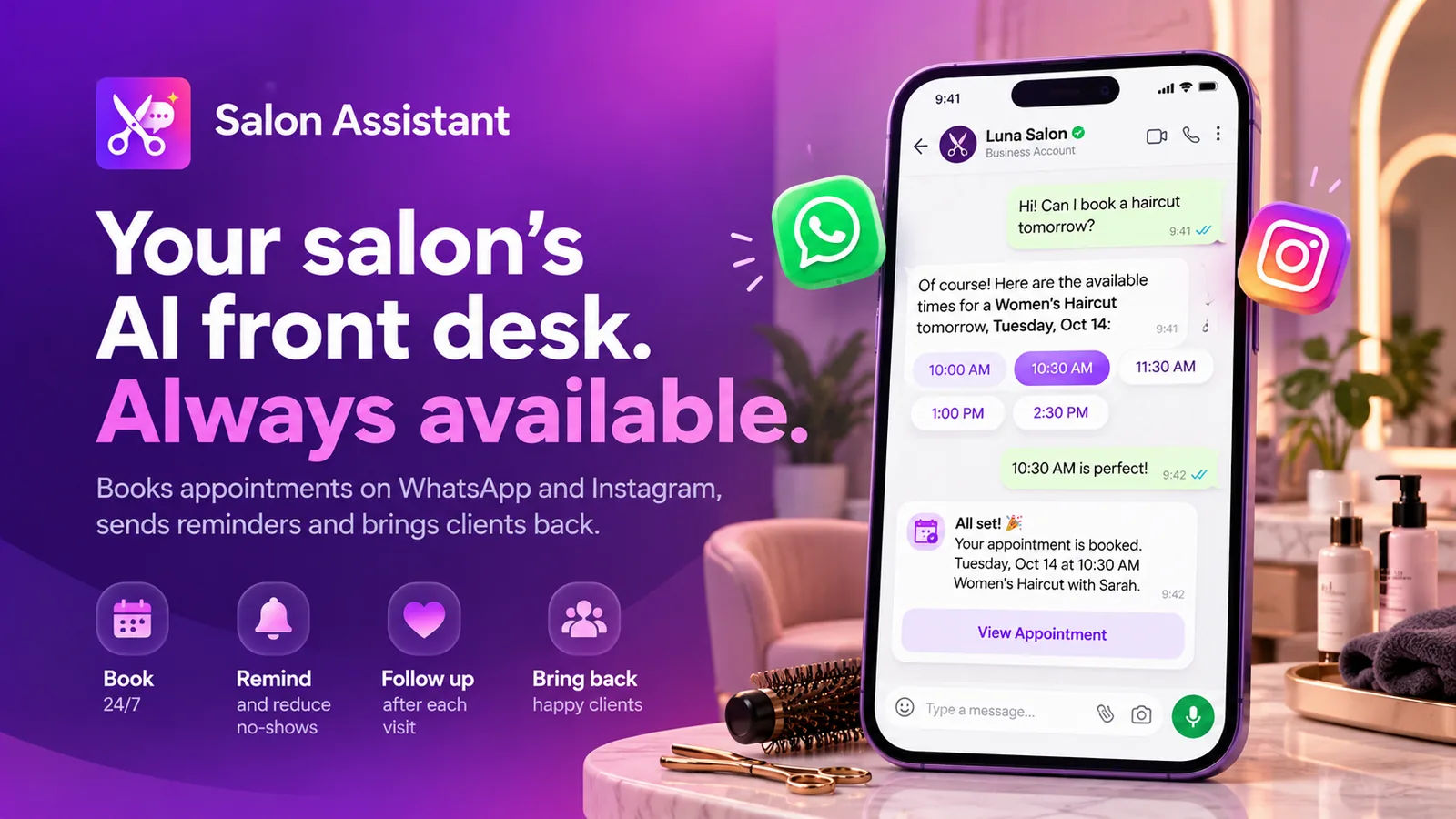
Salon booking
Salon Assistant
An AI front desk for salons that books appointments on WhatsApp and Instagram, sends reminders and brings clients back.
How salon deposits work in MonoChat
Four steps from a chosen slot to a paid, confirmed appointment.
-
Connect your payment provider
Connect your own payment provider account so MonoChat can create links in your name.
-
Set deposit rules
Decide which services or clients need a deposit, the amount and how long the link stays valid.
-
Send the link in the chat
After the client picks a slot, the assistant sends the deposit request with the payment link.
-
Confirm on payment
The payment event confirms the booking; unpaid requests get a reminder and then go to your team.
Example conversations
Salon deposit and payment link examples
Deposits, packages and cancellations handled in the chat, with your own payment provider behind every link.
-
Reminding a client to pay an open booking deposit
The deposit link is still unpaid the next morning, so a reminder goes out before the slot is released and the client pays in the chat.
Nova Beauty Studio Business accountDeposit still open
Bridal hair trial · Sat 25 Oct · 10:00
$50 · link valid until 18:00 today
Hi Hannah, just a reminder that your trial is held until 18:00 today. Pay the deposit to keep it.
10:00
Pay $50Change dateSorry, forgot! Paying now.
12:41
Deposit received
Bridal hair trial · Sat 25 Oct · 10:00
$50 paid · deducted on the day
Thank you, your trial is confirmed. Bring a photo of your dress and accessories if you can.
12:44
-
Buying a massage package with a payment link in web chat
A website visitor compares packages, pays for five massages through a link and books the first session straight away.
Nova Spa Typically replies instantlyDo you have massage packages? I'd like to come every two weeks.
17:05
Yes! Our 60-minute massage packages:
17:05
5 sessions · $37510 sessions · $7005 sessions · $375
17:06
Massage package · 5 × 60 min
Valid for 6 months
$375
Here is your secure payment link. Once paid, I can book your first session.
17:06
Pay $375Payment received, thank you! 5 sessions are on your account. When would you like the first one?
17:09
Thu 19:00Sat 11:00Sat 11:00
17:10
-
Cancelling a paid salon booking and keeping the deposit as credit
The assistant shares the cancellation policy and hands over to a team member, who moves the booking and keeps the deposit as credit.
Atlas Aesthetics Business accountI need to cancel my laser on Monday, I'm travelling for work. Do I lose my deposit?
09:30
Our policy: cancellations more than 24 hours before keep the deposit as credit for a new date. I am passing you to Mia to arrange it.
09:30
Hi, Mia here. No problem at all. Your $30 deposit stays as credit. Would one of these work?
09:38
Mon 27 Oct · 14:00Wed 29 Oct · 17:30Wed 29 Oct · 17:30
09:40
Appointment moved
Laser hair removal · Wed 29 Oct · 17:30
$30 deposit carried over
All done. Safe travels!
09:40
FAQ
Salon booking deposits: common questions
Quick answers to the most common questions.
How do I take a deposit for a salon booking on WhatsApp?
MonoChat creates a payment link with your own payment provider and sends it in the conversation right after the client chooses a slot. When the payment event arrives, the appointment is confirmed automatically.
Which payment providers can I use for deposit links?
Payments go through your own payment provider account, so the money goes straight to you. See the payment integrations page for how providers connect to MonoChat.
Can I ask for a deposit only for some services or clients?
Yes. Deposit rules are set in the no-code workflow builder, for example only for colour, extensions, bridal hair or laser packages, only for new clients, or only on busy days.
What happens if the client does not pay the deposit?
You choose how long the link stays valid. MonoChat can send a reminder before that time, and if the deposit is still unpaid the booking is flagged so your team can release the slot.
What if a client cancels after paying a deposit?
The assistant shares your cancellation policy and hands the request to your team with the payment details. Refunds are handled in your payment provider according to your own policy.
Keep exploring
-
Salon Appointment Booking on WhatsApp
Let clients pick a service, stylist and time in chat. -
Appointment Reminders & No-Show Reduction
Confirm, remind and reschedule to cut no-shows. -
Instagram DM Booking for Salons
Turn Instagram DMs and story replies into bookings. -
Client Rebooking & Retention Campaigns
Bring clients back at the right interval for each service. -
Aftercare Messages & Review Requests
Send care instructions and ask for reviews after the visit.
First month of Growth on us
Secure Every Appointment With a Deposit
Send deposit links in the chat and confirm bookings the moment clients pay. Start free with MonoChat.
One code per business • 30 days to redeem • No card needed