WhatsApp Flows
Turn WhatsApp chats into interactive flows.
Collect data, guide customers, trigger workflows and sync every submission with your business systems — directly inside WhatsApp.
Or start with $150 of credit, enough for a first month of Growth
What you can build
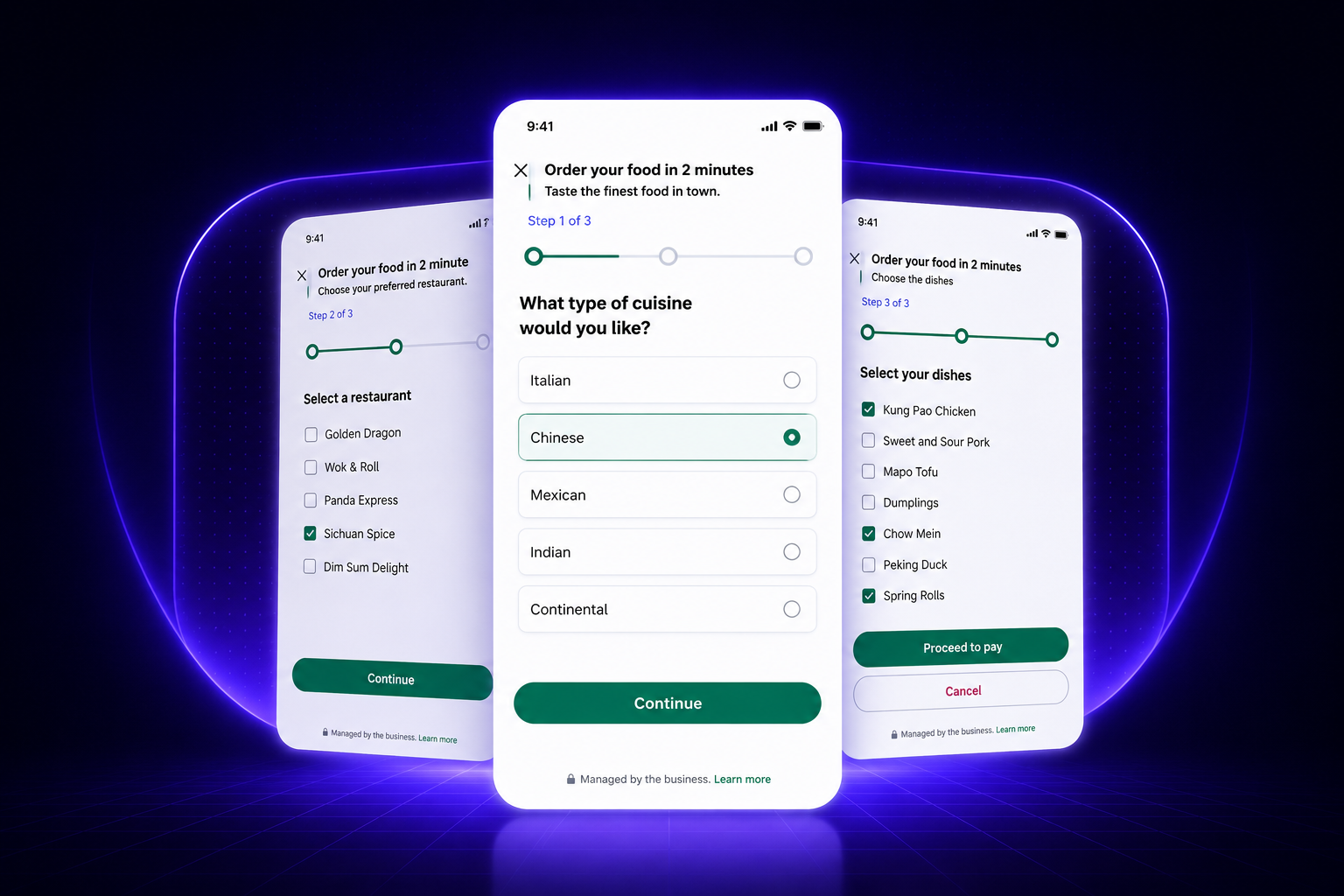
More than a form. A full customer journey.
Use WhatsApp Flows to collect structured information, guide customers through decisions and continue every journey with automation.
-

Static & Dynamic Forms
Launch simple static forms or generate dynamic flows that change based on customer data, product options, availability or previous answers.
- Static form screens
- Dynamic data loading
- Conditional form steps
-

CRM & System Sync
Send submitted flow data directly to your CRM, helpdesk, ERP, database or internal APIs without manual copy-paste.
- Lead/contact creation
- Ticket updates
- Custom API actions
-

Route Journeys by Answers
Use flow responses to decide the next step: qualify leads, route cases, trigger automations or hand over to the right team.
- Conditional routing
- Team assignment
- AI-assisted next actions
-

Applications, Bookings & Sales
Collect applications, sell tickets, receive reservation requests, qualify customers and continue the journey with payment or confirmation steps.
- Application forms
- Ticket sales
- Booking requests
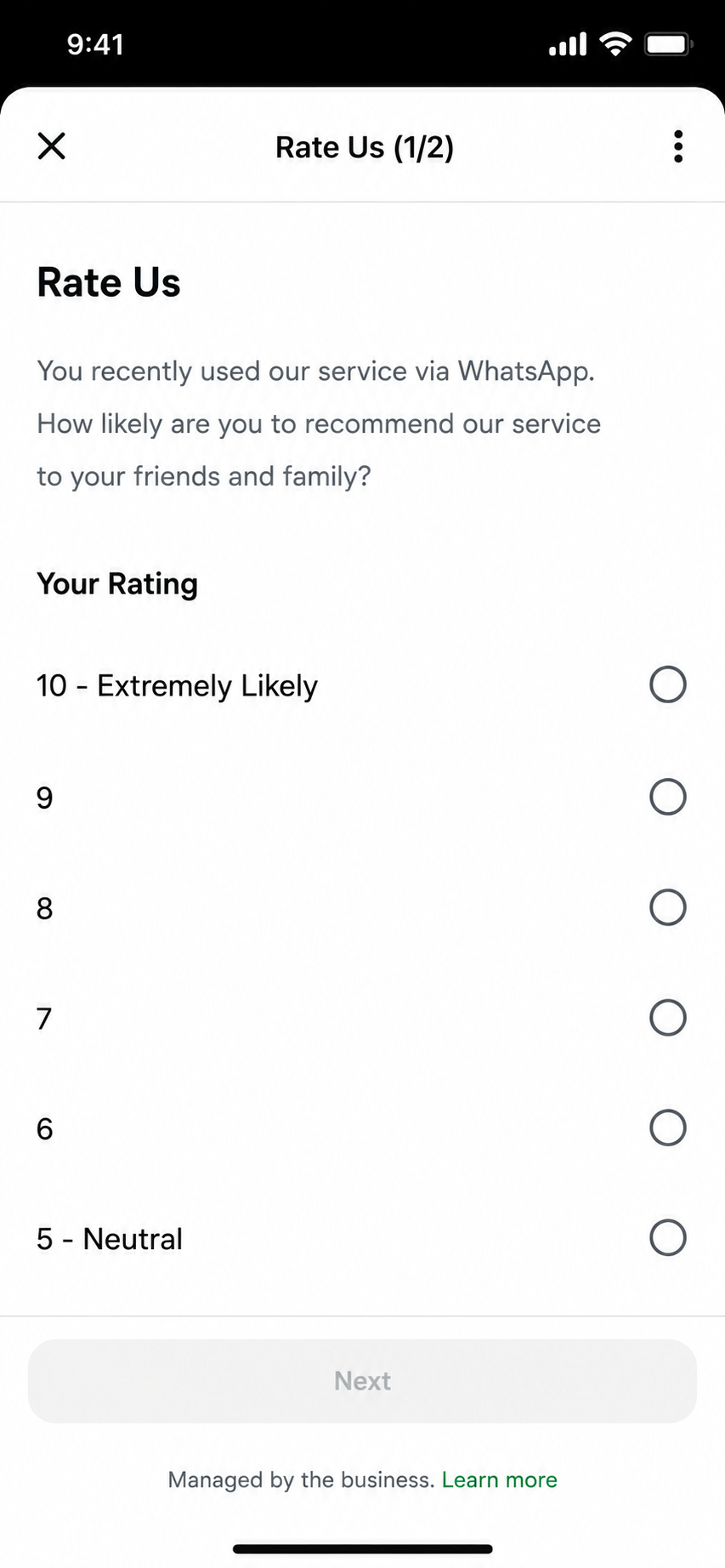
WhatsApp CSAT Flows
Run surveys directly inside WhatsApp.
Send CSAT, NPS and multi-step feedback forms inside the conversation. Collect responses automatically and sync every answer with your CRM, helpdesk or internal systems.
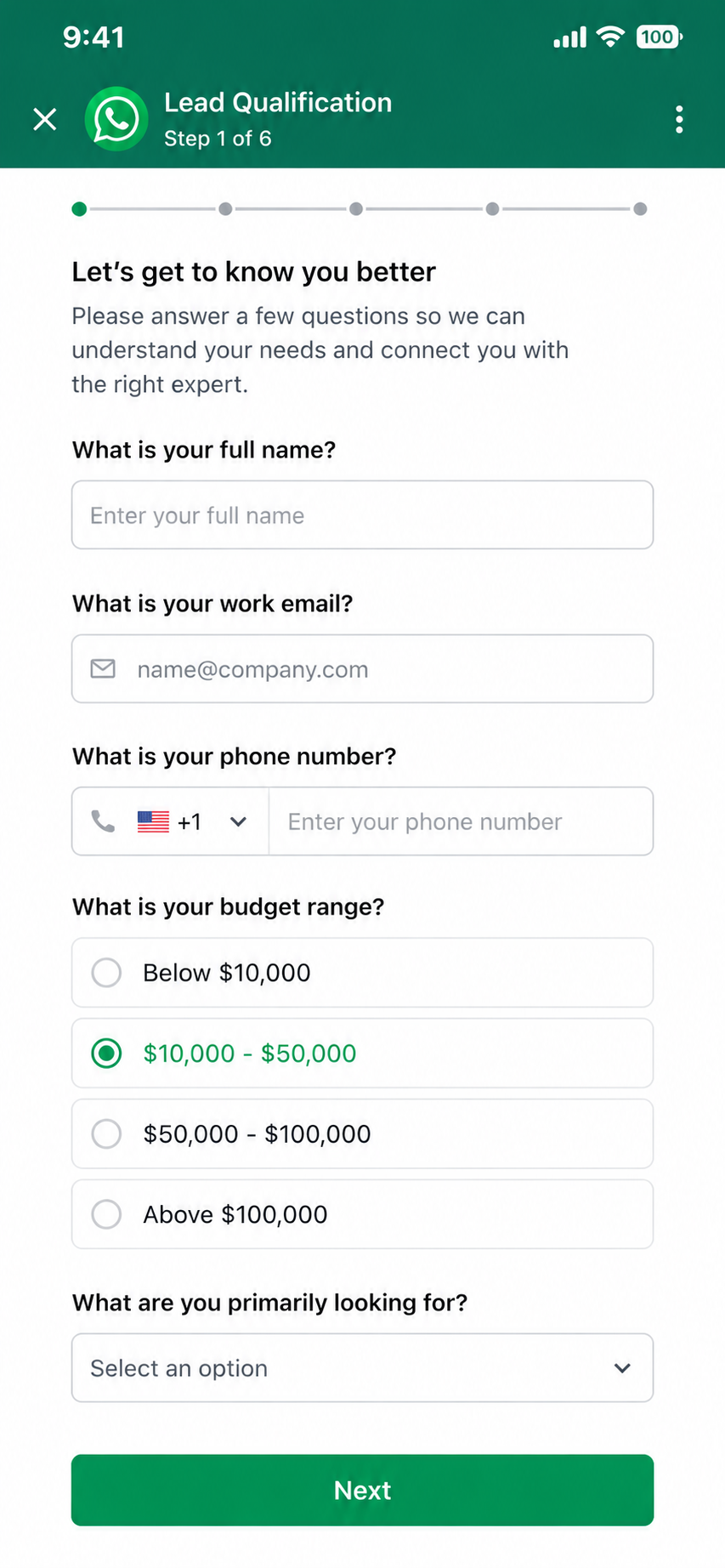
Lead Qualification Flows
Collect and qualify leads automatically.
Ask qualification questions, collect customer details, score leads automatically and route high-intent conversations directly to your sales team.
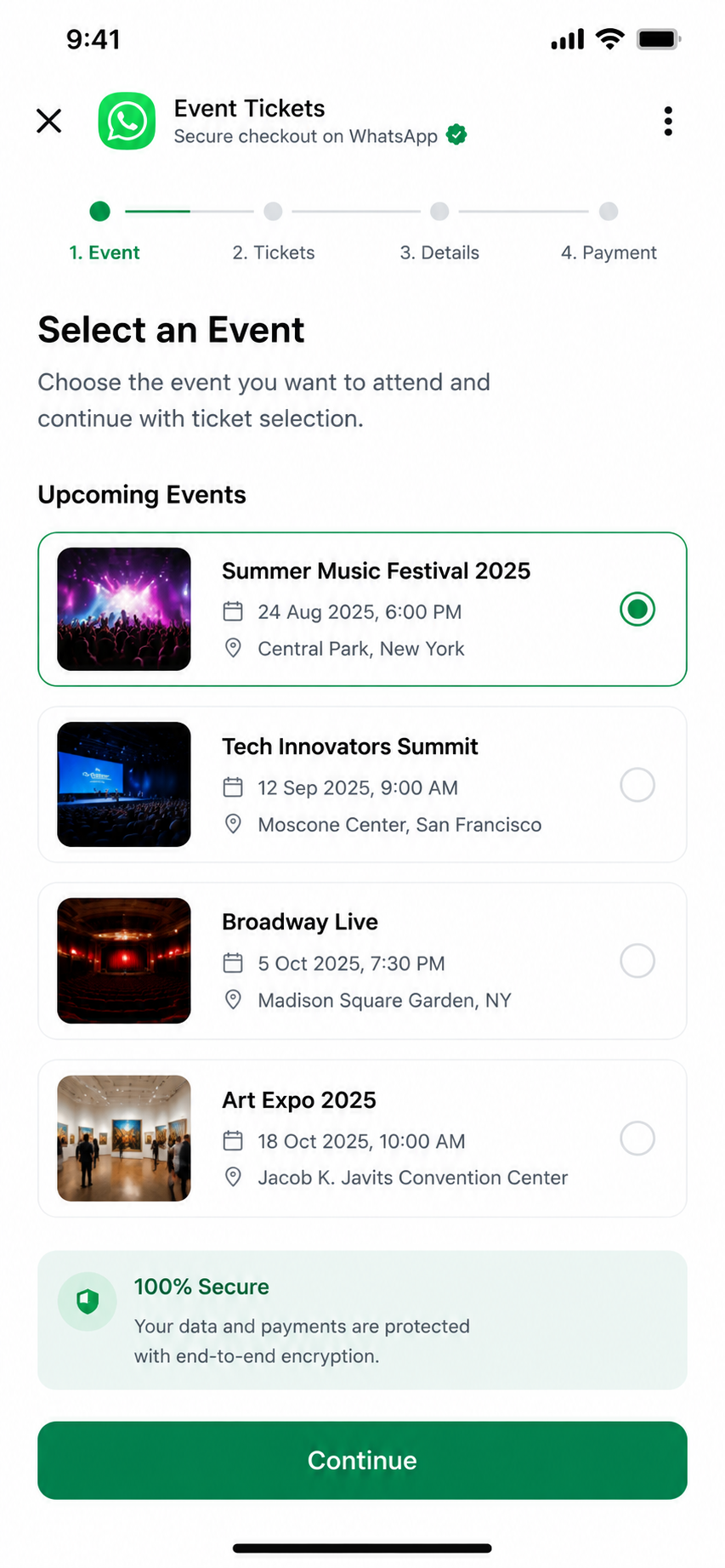
Event & Ticket Sales
Sell tickets directly inside WhatsApp.
Show event options, collect attendee information, present seating or package choices and continue the journey with secure payment and confirmation flows.
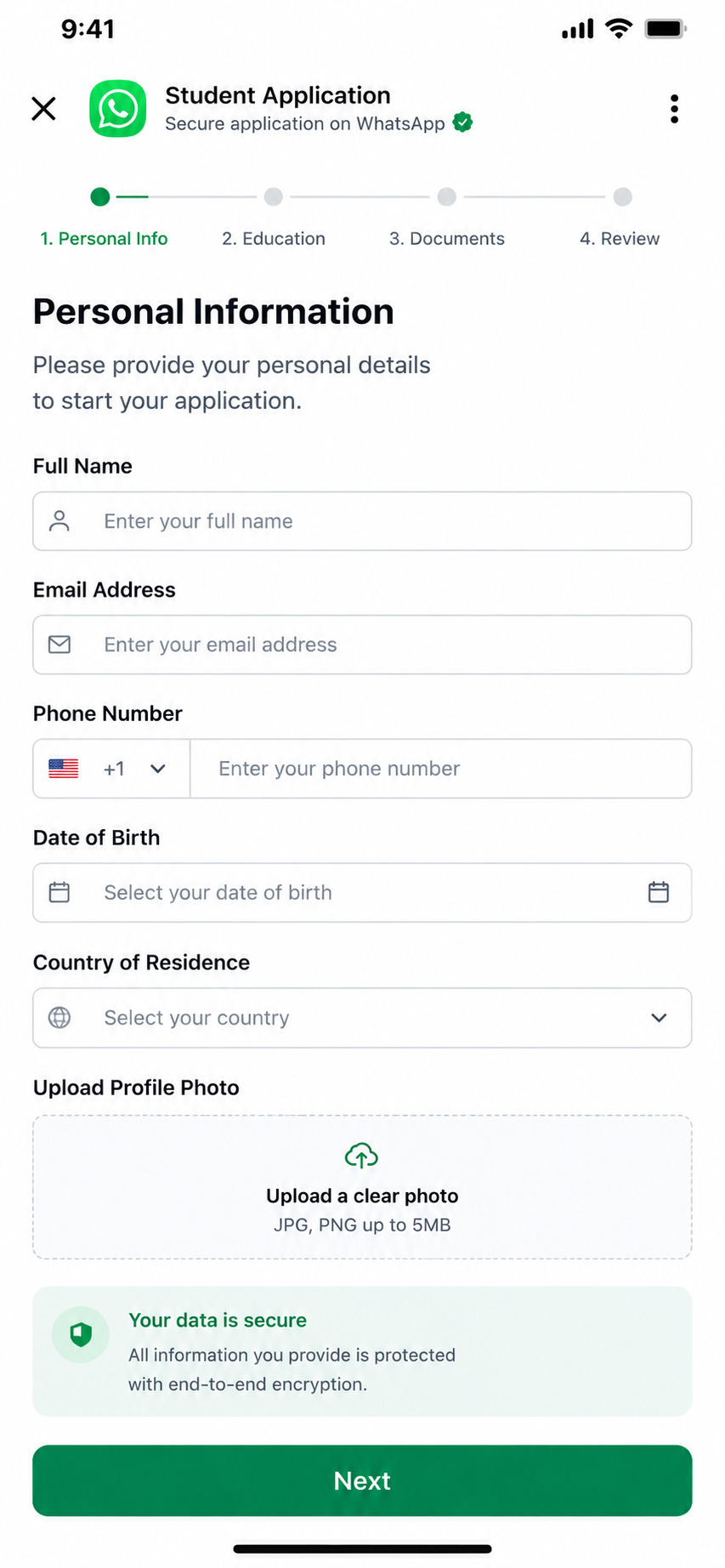
Application & Document Collection
Collect applications without leaving chat.
Receive application details, collect documents, validate required fields and send every submission directly to your CRM or operational systems.
Flow scenarios
Build guided WhatsApp journeys for every use case.
From surveys to ticket sales, every flow can collect structured answers and trigger the next business action.
-
CSAT / NPS Survey
- Send survey after chat
- Collect score + comment
- Sync to CRM
- Trigger follow-up if needed
-
Lead Application
- Ask customer details
- Qualify intent
- Create CRM lead
- Assign sales owner
-
Ticket Sales
- Show event options
- Collect attendee data
- Send payment link
- Confirm ticket
-
Document Collection
- Request required fields
- Collect files/details
- Validate submission
- Create case record
Data and integrations
Every submitted flow becomes usable business data.
MonoChat can send flow data to CRMs, helpdesks, payment tools and custom APIs — then use that data to continue the journey.
-
CRM
Create leads, contacts and opportunities from flow submissions.
-
Helpdesk
Turn form responses into support tickets with full context.
-
Payments
Continue completed flows with payment links or checkout actions.
-
Custom APIs
Send flow data to your own backend, ERP or business tools.
How WhatsApp Flows work with MonoChat
Three steps from an empty screen to a live form inside WhatsApp.
-
Design the flow screens
Build the form, survey or booking steps with fixed fields, or load live options such as products, time slots and locations from your systems.
-
Send it in the conversation
Share the flow from a template message, a chatbot reply or an automation. The customer completes it without leaving WhatsApp.
-
Act on every submission
MonoChat sends the answers to your CRM, helpdesk or API and continues the journey with routing, payment or confirmation.
Common WhatsApp Flow use cases
Static when simple. Dynamic when needed.
Start with fixed form screens or load dynamic data such as products, tickets, locations, appointment slots and customer records.
Talk to us- Customer satisfaction surveys
- Lead qualification forms
- Appointment and reservation requests
- Event registration and ticket sales
- Donation and campaign forms
- Warranty or service applications
- KYC and document collection
- Complaint and case intake
FAQ
WhatsApp Flows FAQ
What WhatsApp Flows are, what you need to use them and where the answers go.
What is a WhatsApp Flow?
A WhatsApp Flow is a structured, multi-screen form that opens inside a WhatsApp chat. Customers fill in fields, pick options and submit without visiting a website or installing an app, which makes Flows a good fit for lead forms, surveys, applications and bookings.
Do customers have to leave WhatsApp to complete a flow?
No. The flow opens on top of the conversation in the customer’s own WhatsApp app, and the submitted answers come back into the same chat. There is nothing to download and no browser tab to open.
What is the difference between static and dynamic flows?
A static flow shows the same fixed screens to everyone. A dynamic flow loads live data such as products, tickets, locations, appointment slots or customer records from your systems, and can change the next step based on earlier answers.
Where does the data from a WhatsApp Flow go?
MonoChat can send every submission to your CRM, helpdesk, payment tool or custom API. The same data can then drive the next step: qualify the lead, assign a team, send a payment link or confirm the booking.
Do I need the WhatsApp Business API to use Flows?
Yes. Flows are part of the WhatsApp Business Platform (API) and are not available in the standalone WhatsApp Business app. Once your number is connected to MonoChat you can build and send flows; with Coexistence you can keep using the app on the same number.
Keep exploring
-
Carousel Messages
Show products, offers and options with interactive carousel messages. -
Bulk Messaging
Send campaigns, announcements and segmented WhatsApp broadcasts. -
WhatsApp Calls
Manage WhatsApp calls with conversation context and outcome tracking. -
Template Messages
Send approved templates for notifications, reminders and follow-ups. -
WhatsApp Coexistence
Use WhatsApp Business App and API together on the same number. -
WhatsApp Chatbot
Answer customers on WhatsApp around the clock with an AI chatbot.
First month of Growth on us
Build Interactive WhatsApp Journeys With MonoChat
Create forms, surveys, applications, ticket sales and CRM-connected workflows directly inside WhatsApp.
One code per business • 30 days to redeem • No card needed