In-Store QR Assistant
In-Store QR Code Chatbot That Turns Scans Into Sales
Let customers scan a QR code to get instant product guidance, comparisons, and support — with seamless handover to your team.
Or start with $150 of credit, enough for a first month of Growth
Hi! I scanned the QR code on the trail running shoes.
16:20
Welcome to Nova Sports! What would you like to know about them?
16:20
Is size 42 available?
16:21
Trail Runner · Size 42
In stock at this store
Aisle 4 · Shelf B
Yes, it is in this store. Need another colour or a staff member? Just tell me.
16:21
In-Store QR Features
Product guidance, instant answers, and support — right at the shelf
-
Guided Product Discovery
Help shoppers pick the right item while they’re standing at the shelf.
- Compare variants
- Ask needs-based questions
- Recommend best match
- Upsell accessories
-
Instant Product Info
Answer common questions instantly — no staff needed.
- Specs & features
- Usage instructions
- Warranty details
- Availability & alternatives
-
Support & Troubleshooting
Reduce returns by helping customers solve issues in chat.
- How-to guidance
- Troubleshooting flows
- Returns & exchanges
- Escalate to staff
-
Omnichannel Continuity
Let customers continue the same conversation after they leave the store.
- WhatsApp follow-up
- Link to web chat
- Unified history
- Human handover
How an In-Store QR Code Chatbot Works
Turn QR scans into conversations in three steps
-
Place QR Codes
Add QR codes to shelves, product tags, or receipts to start a chat.
-
Guide & Answer
Use MonoChat to recommend products, answer FAQs, and resolve issues instantly.
-
Convert & Follow Up
Send links, offers, and post-visit follow-ups to improve conversion and retention.
Ready-made app in the MonoChat Store
Retail
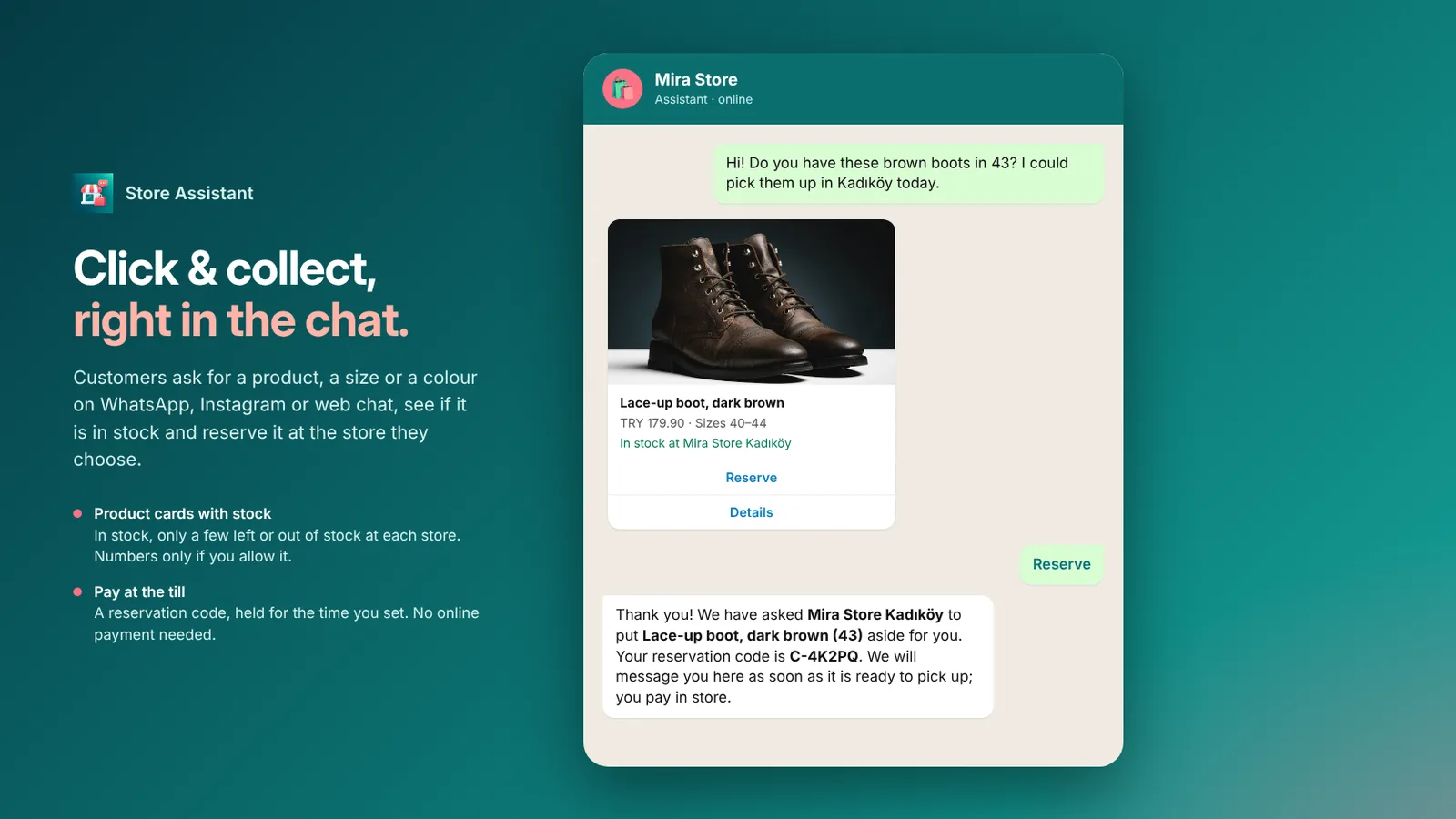
Store Assistant
An AI store desk for shops and chains that shows products and stock per store, takes click & collect reservations, tracks orders, runs a loyalty club with points and coupons, and sends campaign messages.
Example conversations
In-store QR code chatbot examples
QR codes on shelves, in fitting rooms and on receipts, each opening a chat that helps the shopper right where they are.
-
Comparing two products from a shelf QR code
A shopper scans the code on a pair of headphones and gets a side-by-side answer, then calls staff for a demo when ready to buy.
Nova Electronics Business accountScanned the QR on the Studio 5 headphones. How are they different from the Studio 3?
17:02
Studio 5 vs Studio 3
ANC · 40 h vs 25 h battery
$249 vs $179
Studio 5 adds active noise cancelling and 40 hours of battery (Studio 3: 25 hours). Both fold flat and support USB-C charging.
17:02
Can I try the Studio 5 here?
17:03
Yes, the demo pair is at the listening bar. Shall I ask a colleague to set it up?
17:03
Yes, call staffI will find itYes, call staff
17:03
Marco is on his way to the listening bar now.
17:04
-
Requesting another size from the fitting room
A QR code in the fitting room lets the shopper ask for a different size without leaving. Staff get the request with the cabin number.
Nova Fashion Business accountI am in fitting room 3. Can I get these jeans one size up?
13:25
Sure. Which jeans are you trying?
13:25
Slim Fit · 30Straight Fit · 30OtherSlim Fit · 30
13:25
Slim Fit Jeans · Indigo · 31
Fitting room 3
Ayla · on her way
Size 31 in the same wash is in stock. Ayla is bringing it to fitting room 3.
13:26
Thank you!
13:26
-
Product setup help from a receipt QR code
A QR code on the receipt opens a chat at home. The assistant walks the customer through setup and asks for a rating afterwards.
Lumen Kitchen Typically replies in minutesI bought the Barista One yesterday. The descale light is on already. What do I do?
08:12
On a new machine that light usually means the water hardness is not set yet. Hold the steam and cup buttons for 3 seconds, then pick your water level.
08:12
That workedStill onThat worked
08:15
Great! Your 2-year warranty is registered to this receipt. How was the help today?
08:15
⭐ 5⭐ 4⭐ 3 or less
Keep exploring
-
WhatsApp Sales Assistant
Sell faster with guided WhatsApp conversations. -
Store Locator Chatbot
Help customers find nearby stores instantly. -
Retail Campaign Automation
Run targeted campaigns across messaging channels. -
Retail Loyalty Automation
Boost repeat sales with rewards and reminders. -
Product Recommendation
Recommend products through AI-powered conversations. -
Order Tracking Assistant
Answer order status and delivery questions instantly.
First month of Growth on us
Add QR-Powered Assistance to Your Stores
Help shoppers discover the right products, answer questions instantly, and reduce staff load — with MonoChat’s In-Store QR Assistant.
One code per business • 30 days to redeem • No card needed