NEW · App + API on the same number
WhatsApp Business API Sell, support and automate on WhatsApp.
Connect WhatsApp Business API to MonoChat. Keep your number, manage conversations with your team, automate replies and scale customer operations.
Or start with $150 of credit, enough for a first month of Growth
- Official WhatsApp Business Platform
- AI chatbot
- Shared team inbox
- Bulk messaging
Hi! Is the linen shirt available in medium?
10:01
Linen Shirt · M
In stock · Ships tomorrow
Free returns within 14 days
Yes, it is in stock. Would you like to order it?
10:01
Order now, please.
10:02
Great! Here is your secure payment link. We will send delivery updates in this chat.
10:02
WhatsApp Business API Features
Use the full power of WhatsApp Business inside MonoChat.
-
Official Business Profile
Build trust with your customers with a verified business account
- Verified profile with blue checkmark
- Business information and contact details
- Business hours and location information
- Automated greeting messages
-
Product Catalog Management
Sell your products easily on WhatsApp
- Create visual product catalogs
- Update price and stock information
- Organize products by category
- Quick product sharing
-
Automated Response System
Increase sales with 24/7 customer service
- Smart chatbot integration
- FAQ automation
- Order tracking system
- Customer segmentation
-
WhatsApp Call System
Manage WhatsApp calls end-to-end from MonoChat with native WA Call support
- Native WhatsApp Call (WA Call) support
- Click-to-call directly from conversations
- Track call outcomes and tags inside MonoChat
- Combine calls with messaging flows and templates
-
Template Messages & Flows
Send automated template messages and interactive flows to engage customers
- Automated template messages
- WhatsApp Flow (carousel, flow, list)
- Interactive message templates
- Rich media templates
-
Bulk Messaging & Integration
Send bulk messages and integrate WhatsApp Business with API seamlessly
- Bulk message campaigns
- 6-month message history import
- Contact list synchronization
- WA Business & API combined usage
New Feature
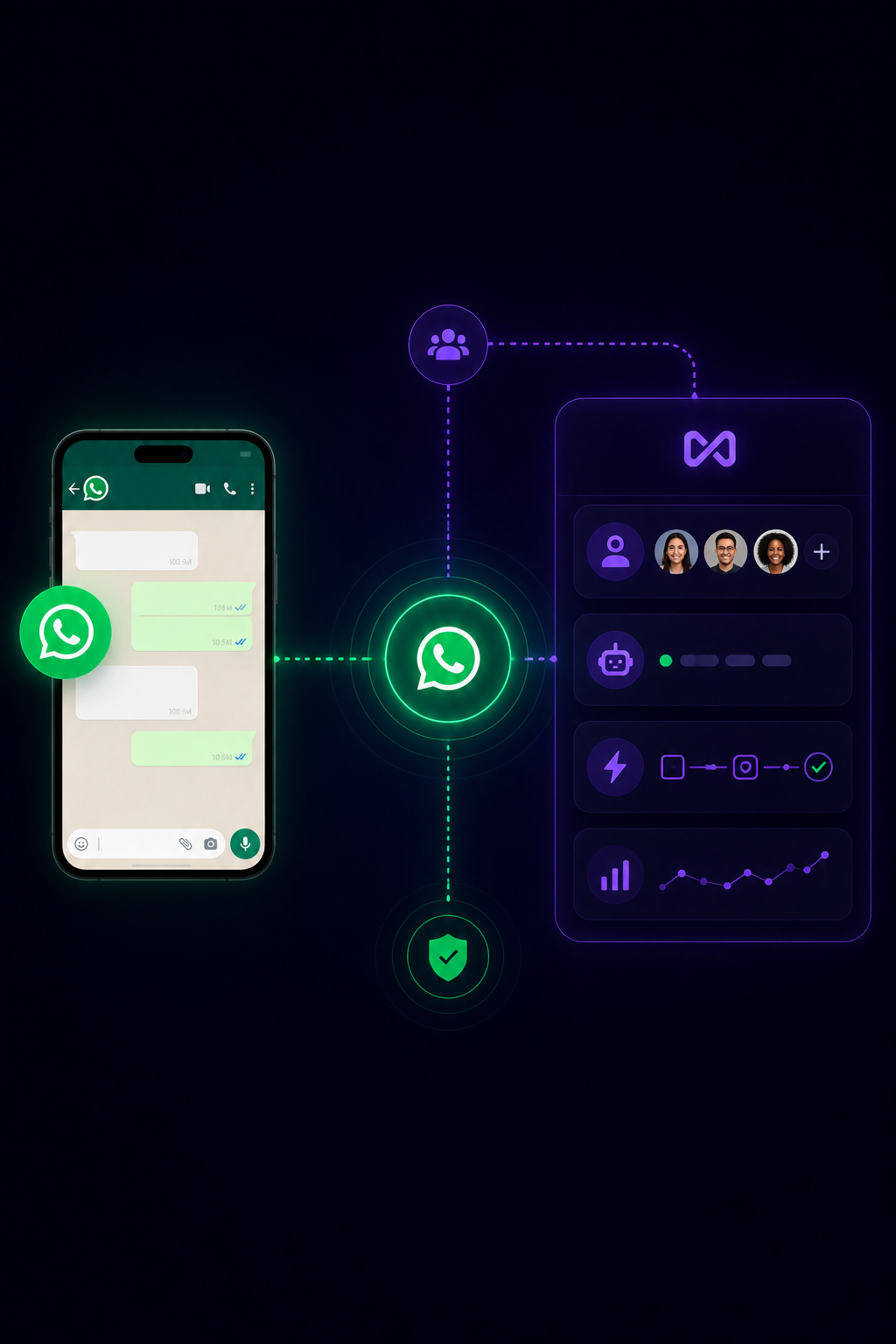
WhatsApp App + MonoChat. Same number.
Keep using your WhatsApp Business App while MonoChat powers your team inbox, automation, CRM sync and analytics in parallel.
- Keep using WhatsApp Business App on mobile while your team works in MonoChat
- No number change — onboard your existing Business App number to the API
- Messages can echo between App ↔ platform for visibility and continuity
- Keep your existing chat history in the Business App; optional history import where supported
WhatsApp Business Platform
WhatsApp Business Platform features in depth
From template messages and bulk campaigns to Flows, carousels, calls and chatbots, explore each WhatsApp capability in detail.
-
WhatsApp Flows
Create forms, surveys and guided journeys inside WhatsApp. -
Carousel Messages
Show products, offers and options with interactive carousel messages. -
Bulk Messaging
Send campaigns, announcements and segmented WhatsApp broadcasts. -
WhatsApp Calls
Manage WhatsApp calls with conversation context and outcome tracking. -
Template Messages
Send approved templates for notifications, reminders and follow-ups. -
WhatsApp Coexistence
Use WhatsApp Business App and API together on the same number. -
WhatsApp Chatbot
Answer customers on WhatsApp around the clock with an AI chatbot.
WhatsApp chatbot + team inbox
An AI WhatsApp chatbot, with your team one step away
Let an AI assistant answer common questions on WhatsApp around the clock, then hand the conversation to the right agent with the full history.
- AI answers grounded in your knowledge base and business data
- Routing, assignment and tags in a shared team inbox
- Several agents reply from the same WhatsApp number
- Handover to a human whenever the customer needs one
Team inbox
All channels-
 Sara A. · WhatsApp Is the linen shirt available in medium?
 -
 Deniz K. · Instagram Can I book for Friday at 6pm?
 -
 Omar H. · Messenger Please reserve the black pair.
 - Website visitor · WebChat Which plan fits a team of five?
-
 Lina M. · TikTok Do you deliver tomorrow?
How to get started with the WhatsApp Business API
Start in four simple steps.
-
Create WhatsApp Business Account
Create an official WhatsApp Business account for your business through MonoChat
-
Add Your Product Catalog
Add your products, prices and descriptions to the catalog
-
Configure Chatbot and Automation
Set up a chatbot that automatically responds to customer questions
-
Start Selling
Take orders on WhatsApp and collect secure payments
FAQ
WhatsApp Business API & Coexistence FAQ
Everything you need to know about using the WhatsApp Business App and API together with MonoChat.
What is the WhatsApp Business API?
The WhatsApp Business API, officially called the WhatsApp Business Platform, is Meta’s interface for businesses that need more than the WhatsApp Business app: several agents on one number, chatbots, template messages, bulk campaigns and integrations. It has no app of its own, so you use it through a platform such as MonoChat.
What is the difference between the WhatsApp Business app and the WhatsApp Business API?
The WhatsApp Business app is built for one person on one phone. The API connects your number to software like MonoChat, so a whole team can reply from a shared inbox, automate answers with a chatbot and send approved templates at scale. With Coexistence you can use both on the same number.
How much does the WhatsApp Business API cost with MonoChat?
MonoChat’s Basic plan is free forever and includes 1,000 outgoing messages a month, one channel and one user; incoming messages are never counted. WhatsApp may charge its own messaging fees according to Meta’s pricing, and MonoChat does not apply markup on channel provider fees.
Can I send bulk WhatsApp messages and campaigns?
Yes. You can send approved template messages to segmented contact lists for campaigns, announcements and reminders, and every reply lands in your team inbox. WhatsApp requires that recipients have opted in to receive messages from your business.
Can I build a WhatsApp chatbot with MonoChat?
Yes. You can connect an AI assistant to your WhatsApp number to answer frequently asked questions, qualify leads and track orders, and build guided journeys in the visual workflow builder. The chatbot hands the conversation to an agent when a person is needed.
What is WhatsApp Coexistence (App + API together)?
Coexistence lets you use the same WhatsApp number in the WhatsApp Business App and on the WhatsApp Business Platform (API) at the same time, so you can keep mobile usage while scaling support and automation in MonoChat.
Do I need to change my WhatsApp number to use the API?
No. With Coexistence, you can onboard your existing WhatsApp Business App number to the API flow without changing the number. Availability depends on eligibility and region.
Will my chat history in the WhatsApp Business App be deleted?
Your existing chat history in the WhatsApp Business App stays in the app. Depending on what is supported for your setup, MonoChat may offer optional history import for better continuity in the team inbox.
Can multiple agents reply to customers from the same number?
Yes. MonoChat provides a shared team inbox with routing and assignment, so multiple agents can collaborate on the same WhatsApp number while keeping conversation ownership and visibility.
Do you support WhatsApp templates, Flows, and rich media?
Yes. You can create and manage template messages, send rich media templates, and run interactive WhatsApp Flows (e.g., lists, forms, guided journeys) to drive sales and support.
Does MonoChat support WhatsApp Calls and tracking outcomes?
Yes. If WhatsApp Calls are available for your account, MonoChat can help you manage calls in context, tag outcomes, and link call activity with messaging flows for complete visibility.
How long does onboarding typically take?
Onboarding time depends on your Meta/WhatsApp account status and business verification. MonoChat guides you through connecting your business account, number setup, and templates so you can go live as fast as possible.
Is Coexistence available in every country and for every account?
Not always. Coexistence availability depends on Meta policy, account eligibility, and region. If you share your business details, we can confirm the best setup path for your number.
Connect other channels to the same inbox
-
Instagram Business
Manage Instagram DMs, leads and customer conversations. -
Facebook Business
Handle Messenger conversations from the same team inbox. -
TikTok Business
Manage TikTok DMs, comments and social engagement. -
Telegram Bot
Build Telegram bots and automate customer conversations. -
WebChat
Add a live chat and AI assistant widget to your website. -
Twilio
Send OTP, reminders, alerts and two-way SMS with Twilio. -
Voice Call (SIP)
Run AI voice calls with SIP, IVR, routing and automation.
First month of Growth on us
Scale WhatsApp Support and Sales with MonoChat
Connect WhatsApp Business API to unify conversations, automate responses and track outcomes in one inbox.
One code per business • 30 days to redeem • No card needed