Real Estate
Real Estate WhatsApp Chatbot Qualify Leads, Book Viewings
Portal and ad leads go cold in minutes. MonoChat replies on WhatsApp straight away, asks your qualifying questions, shares matching listings and books the viewing with the right agent.
Or start with $150 of credit, enough for a first month of Growth
- WhatsApp Business API
- Instagram DM
- Web chat
Hi, I saw your ad for the 2-bedroom apartment in the Marina. Is it still available?
19:32
Yes, it is available. Are you looking to buy or to rent?
19:32
Buy. My budget is flexible and I can view it this week.
19:33
Viewing booked
2-bedroom apartment · Thursday 17:00
Sara will meet you on site
Great. I have booked your viewing and shared your details with our agent.
19:34
Real estate chatbot features
From the first message to the viewing, the repetitive part of an agent's day is handled in chat.
-
Listing and availability answers
The AI assistant answers questions about price, size, location, payment plans and availability from your listing information, at any hour.
-
Lead qualification
Ask about buying or renting, budget, area, property type and timeline, and save the answers on the contact.
-
Viewing booking
Offer viewing times, confirm the appointment, send a reminder and notify the responsible agent.
-
Listings as carousels
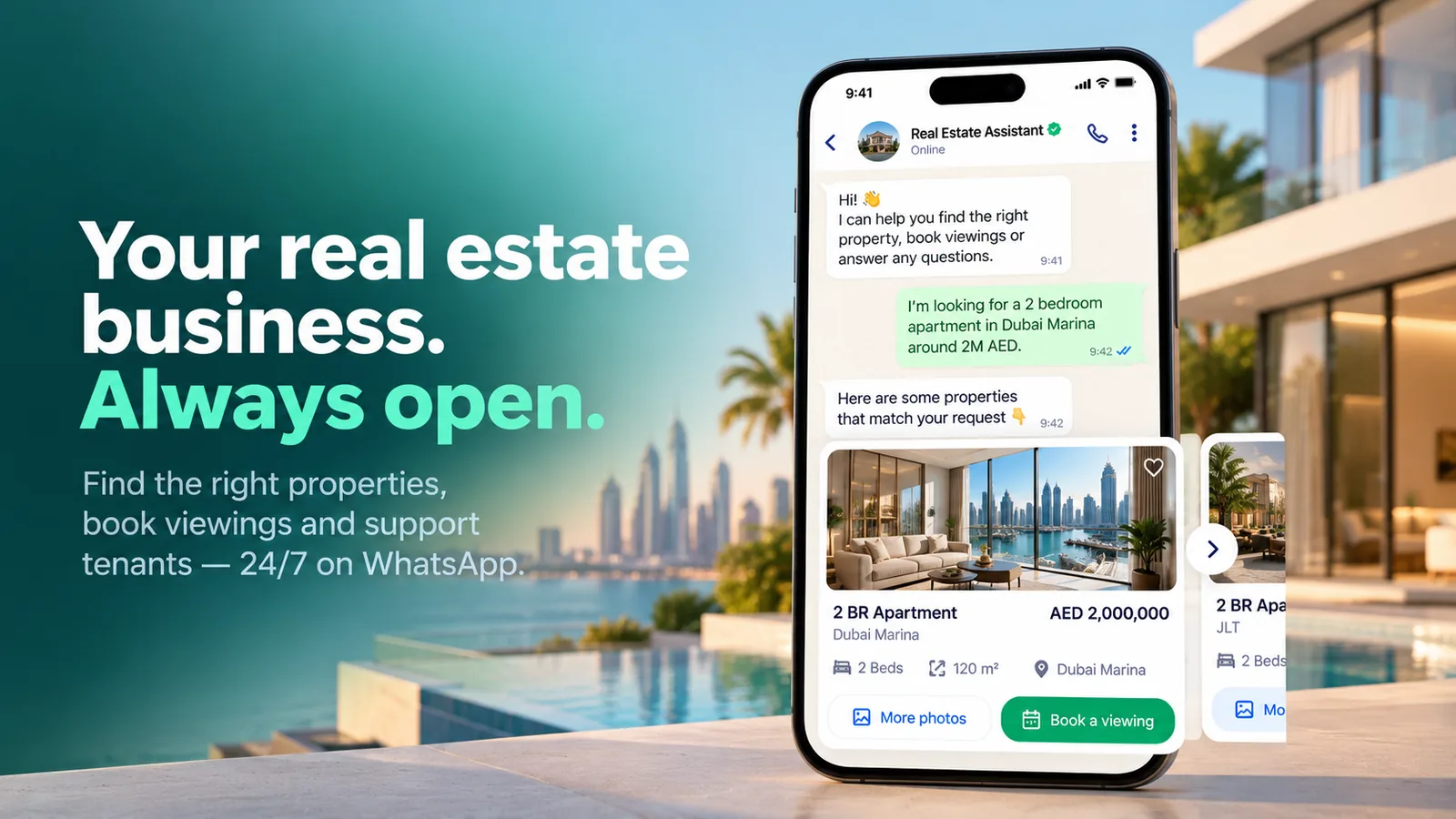
Send matching properties as WhatsApp carousel messages with a photo and a button for each listing.
-
Document collection
Collect ID copies, tenancy paperwork and other documents in the chat instead of chasing them by email.
-
Payment links
Send a payment link for a booking deposit or service fee through your own payment provider.
-
Handover to agents
Serious leads reach the right agent or team with the full conversation and their qualification answers.
-
Campaigns to your database
Announce new launches, price changes and open houses to past enquirers with WhatsApp bulk messaging.
WhatsApp use cases for real estate agencies and property managers
From the first enquiry to the monthly rent, pick the workflow your team handles most and start there.
-
Real Estate Lead Qualification
Qualify portal and ad leads on WhatsApp in the first minute. -
Property Viewing Booking
Book viewings with the right agent and send reminders. -
Property Listings on WhatsApp
Send matching listings as carousels with photos and prices. -
Off-Plan Project Launch Campaigns
Announce new projects and collect expressions of interest. -
Tenant Maintenance Requests
Log repair requests with photos and keep tenants updated. -
Rent Payment Reminders
Send rent reminders with payment links and receipts.
Ready-made app in the MonoChat Store
Real estate
Real Estate Assistant
An AI front desk for real estate agencies that sends matching listings as WhatsApp cards, books viewings with reminders, tracks where every lead comes from, runs project launch campaigns, and handles tenants’ rent, documents and repairs.
Lead qualification
Qualify every real estate lead in the first minute
Leads from property portals, click-to-WhatsApp ads and your website get an instant reply and the same qualifying questions, so agents spend their time on buyers who are ready.
- Buy or rent, budget, area and timeline captured
- Answers saved on the contact and available to your CRM
- Unqualified enquiries still get a helpful answer
Lead summary
From a click-to-WhatsApp ad
Qualification
Buying · 2 bedrooms · Marina area · Ready to view this week
Viewings
Book viewings and cut no-shows with reminders
The assistant proposes times, confirms the slot and reminds the buyer before the viewing. If plans change, they reschedule in the same chat.
- Viewing confirmation with the address
- Automatic reminder before the appointment
- Follow-up message after the viewing
Viewing reminder
WhatsApp template · sent automatically
Message preview
Hi Adam, a reminder of your viewing tomorrow at 17:00. Sara will meet you at the building entrance. Reply to this message if you need to reschedule.
Team inbox
One inbox for every agent, office and channel
WhatsApp, Instagram and web chat enquiries arrive in one shared inbox with clear ownership, so a lead never depends on one agent's personal phone.
- Assign leads by project, area or agent
- Notes, tags and full history on each contact
- Reports on response time and lead sources
Sales inbox
- WhatsApp 2-bedroom in the Marina New
- Instagram Payment plan question Bot handled
- Web chat Viewing on Thursday Assigned
- WhatsApp Tenancy documents Open
How to start with a real estate WhatsApp chatbot
Four steps to reply to every lead straight away.
-
Connect your WhatsApp number
Connect your WhatsApp Business API number, plus Instagram and web chat if you use them.
-
Add your listings and FAQs
Give the assistant your projects, listings, payment plans and common questions.
-
Set your qualifying questions
Choose what to ask and when a lead should go to an agent.
-
Go live and nurture
Reply to every lead instantly, then keep your database warm with launch and price updates.
Example conversations
Real estate WhatsApp chatbot examples
Sellers, tenants and business clients write in too. Here is how the same assistant handles three conversations that are not about a viewing.
-
Booking a home valuation for a seller on WhatsApp
An owner who wants to sell shares the location in chat and books a valuation visit with the agent who covers that area.
Atlas Realty Business accountHi, I want to sell my 3-bedroom house. Can you value it?
11:05
Of course. Please share the location of the property.
11:05
Send locationLocation shared
22 Willow Road, Riverside
11:06
Thanks. Daniel covers Riverside and can visit for a free valuation at these times:
11:06
Tue 10:00Wed 16:30Wed 16:30
11:07
Valuation booked
22 Willow Road · Wednesday 16:30
Daniel, Riverside area
Booked. Daniel will bring recent comparable sales from your street.
11:07
-
Collecting tenancy documents on WhatsApp
The tenant uploads documents from their phone and always sees what is still missing, so the agent prepares the contract without chasing emails.
Lumen Lettings Business accountDocuments needed
ID or passport · proof of income · landlord reference
0 of 3 received
Hi Chloe, to prepare your tenancy agreement for 18 Elm Street we need three documents.
10:00
Upload nowDocument
passport.pdf
10:12
Document
payslips-aug-sep.pdf
10:13
Documents received
ID · proof of income
2 of 3 received
Thanks! Only the landlord reference is missing. Send it whenever it is ready.
10:13
I will send it tomorrow.
10:15
Perfect. Olivia will send the tenancy agreement for signature once everything is in.
10:15
-
Routing a commercial property enquiry to the right team
An office enquiry on Messenger is recognised, summarised and handed to the commercial team, who continue in the same thread.
Atlas Realty Typically replies in minutesHello, we are looking for office space for 25 people near the city centre.
15:20
Thanks for getting in touch. Are you looking to rent or to buy?
15:20
RentBuyRent, from January.
15:21
Commercial enquiry
Office · 25 people · city centre · rent
From January
Our commercial team handles office space. I am passing your enquiry to them with these details.
15:21
Hello, I am Victoria from the commercial team. I have three offices that fit. Can we have a call tomorrow at 10:00?
15:34
Yes, 10:00 worksSuggest another timeYes, 10:00 works
15:36
FAQ
Real estate WhatsApp chatbot: common questions
Quick answers to the most common questions.
How does a WhatsApp chatbot qualify real estate leads?
It replies as soon as the lead writes, asks your qualifying questions such as buying or renting, budget, area and timeline, saves the answers on the contact and hands qualified leads to an agent.
Can it book property viewings?
Yes. The flow offers viewing times, confirms the appointment, notifies the agent and can send a reminder before the viewing using an approved WhatsApp template.
Can I send listings on WhatsApp?
Yes. You can send properties as carousel messages with an image and a button for each listing, or as documents and links inside the conversation.
Does it connect to my CRM or to leads from property portals?
MonoChat connects to other systems through its API, webhooks and custom functions, so lead details can be pushed to your CRM and a new lead can start a WhatsApp conversation automatically.
Can several agents use the same WhatsApp number?
Yes. With the WhatsApp Business API all agents work from one shared inbox on the same number, with assignment, notes and conversation history.
Can the assistant answer in Arabic and English?
Yes. The AI assistant can answer in the language the customer writes in, which helps with international buyers and tenants.
Keep exploring
-
Retail
Sell more with chat-to-cart journeys and campaigns. -
E-Commerce
Convert chats into checkout with product flows. -
Fitness & Wellness
Automate bookings, memberships and customer journeys. -
Tourism & Hospitality
Turn inquiries into bookings with guided flows. -
Automotive
Capture leads and automate test drive & service. -
Healthcare
Book appointments and support patients securely.
First month of Growth on us
Reply to Every Property Lead in Seconds
Qualify leads, book viewings and keep your agents focused on serious buyers with MonoChat.
One code per business • 30 days to redeem • No card needed