
AI assistant
MonoChat Start
Point it at your website and get an AI assistant that answers your customers on WhatsApp, Instagram, Telegram or your website chat.
Public services
An AI service desk for municipalities and public institutions that takes citizen requests with photos and location, routes them to departments with a time to resolve, keeps citizens updated, books office appointments and runs events, announcements and surveys.
New to MonoChat? This creates your account and workspace and installs Citizen Services Assistant for you. Already have an account? Sign in and the app page opens so you can install it.

Citizen Services Assistant
By MonoChat, an official Meta Business Partner
Free to install
Read the Citizen Services Assistant guide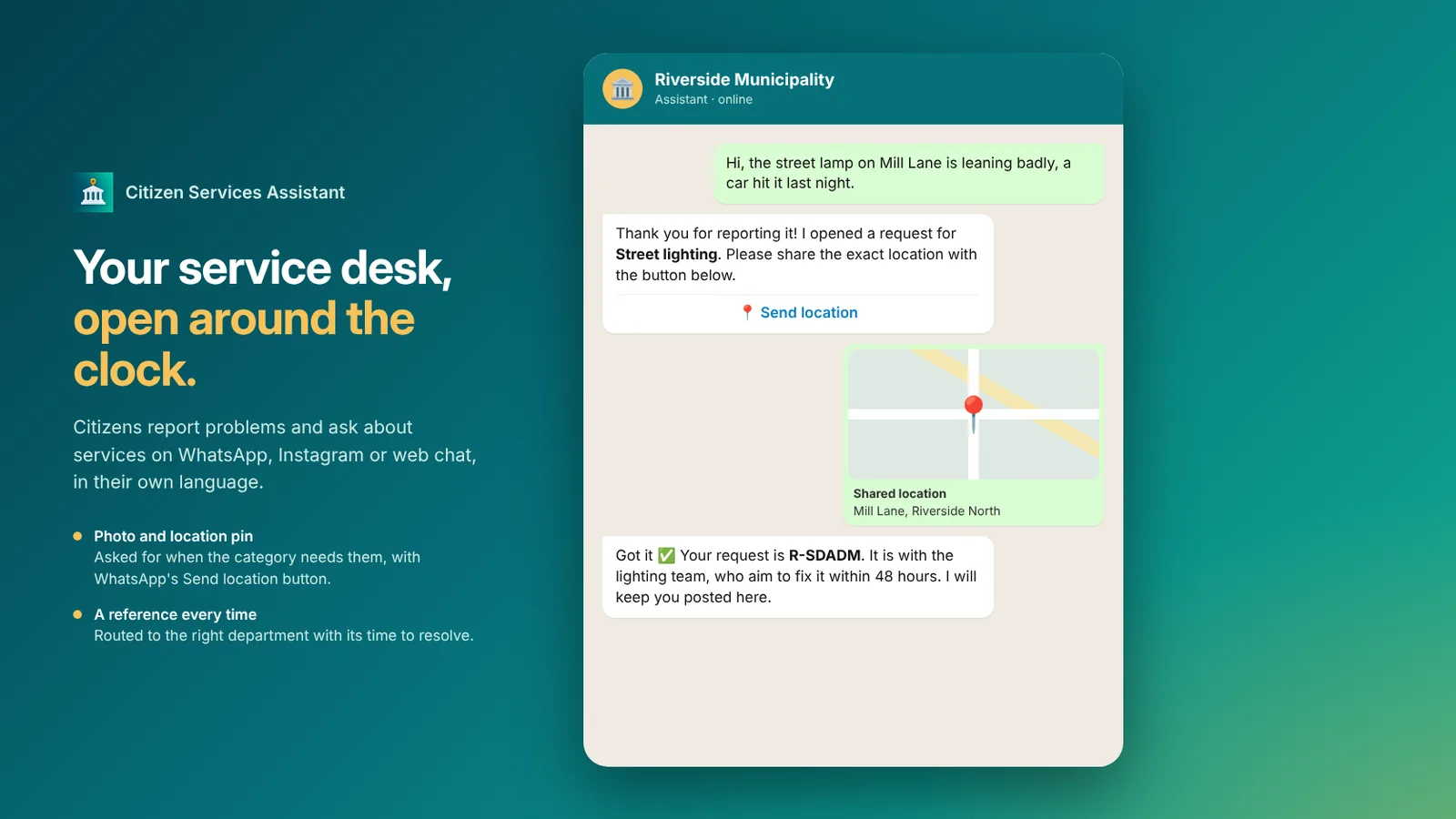
Citizen Services Assistant is the service desk of a municipality or public institution on WhatsApp, Instagram and web chat. It works around the clock and answers citizens in their own language, including voice messages.
You choose the kind of institution once (municipality or public institution), and the categories, topics and wording follow it.
Service questions are answered from your approved service guide. Emergencies are never turned into requests: the assistant gives your emergency instructions instead. Whenever a person is needed, it hands over to your team.
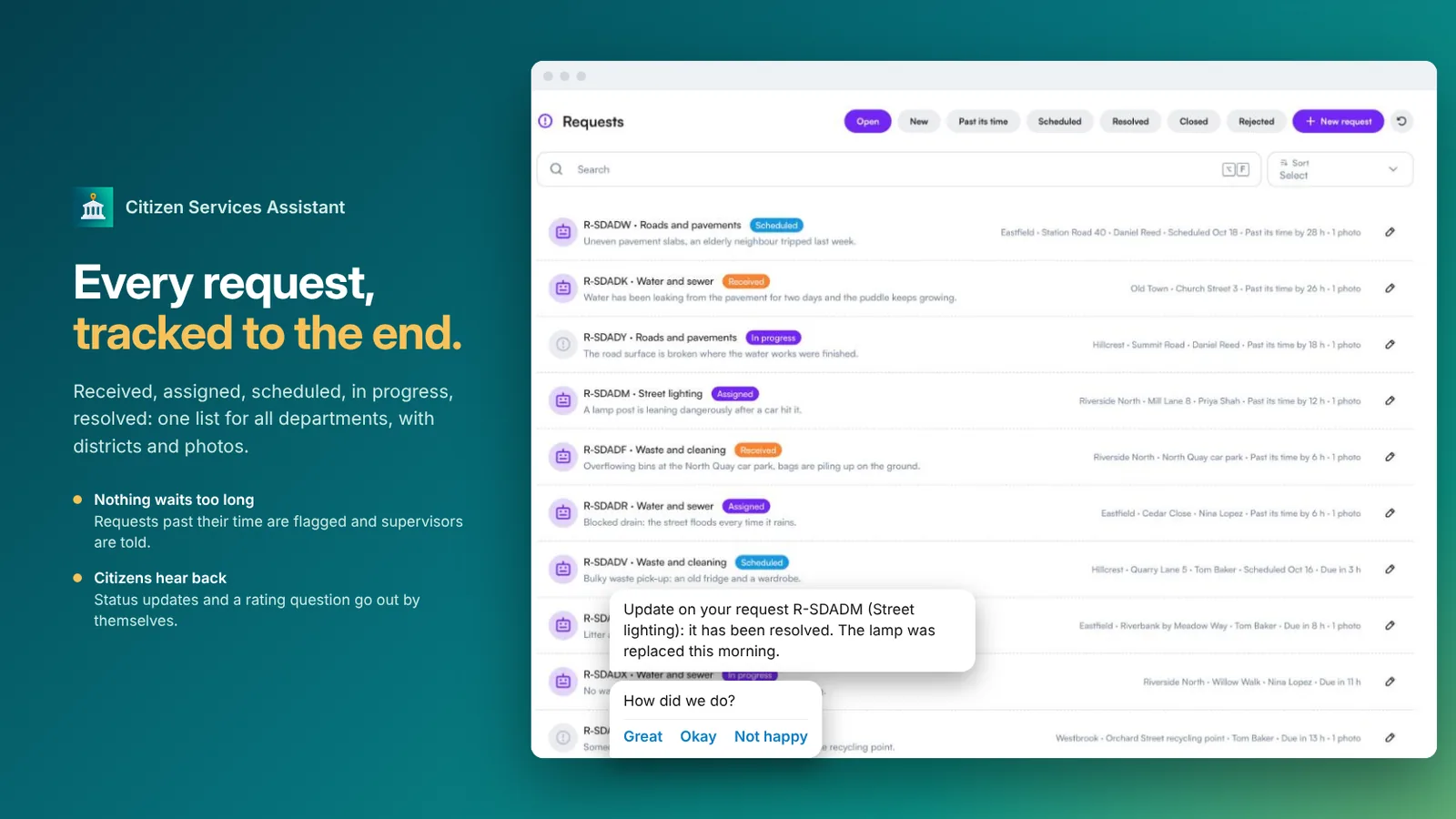
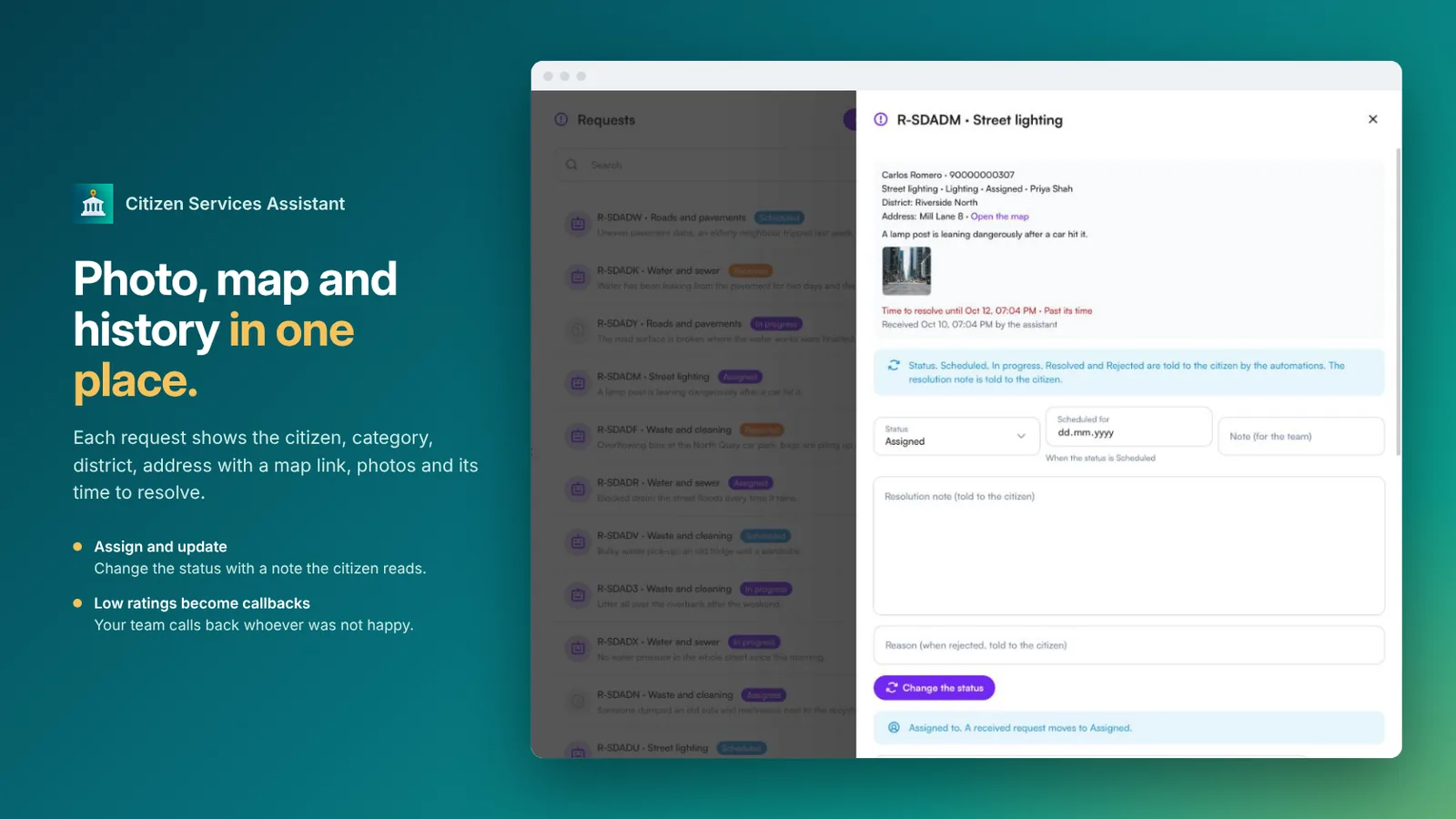
A citizen reports a broken street lamp, a pothole or overflowing bins. The assistant picks the category, asks for a photo and the location pin when the category needs them, and gives a reference number.
Each category goes to its department or person with its own time to resolve. Requests past their time are flagged and supervisors are told.
The citizen hears when the work is scheduled, in progress, resolved or rejected, with your note, and is asked for a rating at the end. A low rating creates a callback for your team.
Everything you work with once Citizen Services Assistant is installed.
Answered from your approved service guide: which documents to bring, fees, forms and which office to go to.
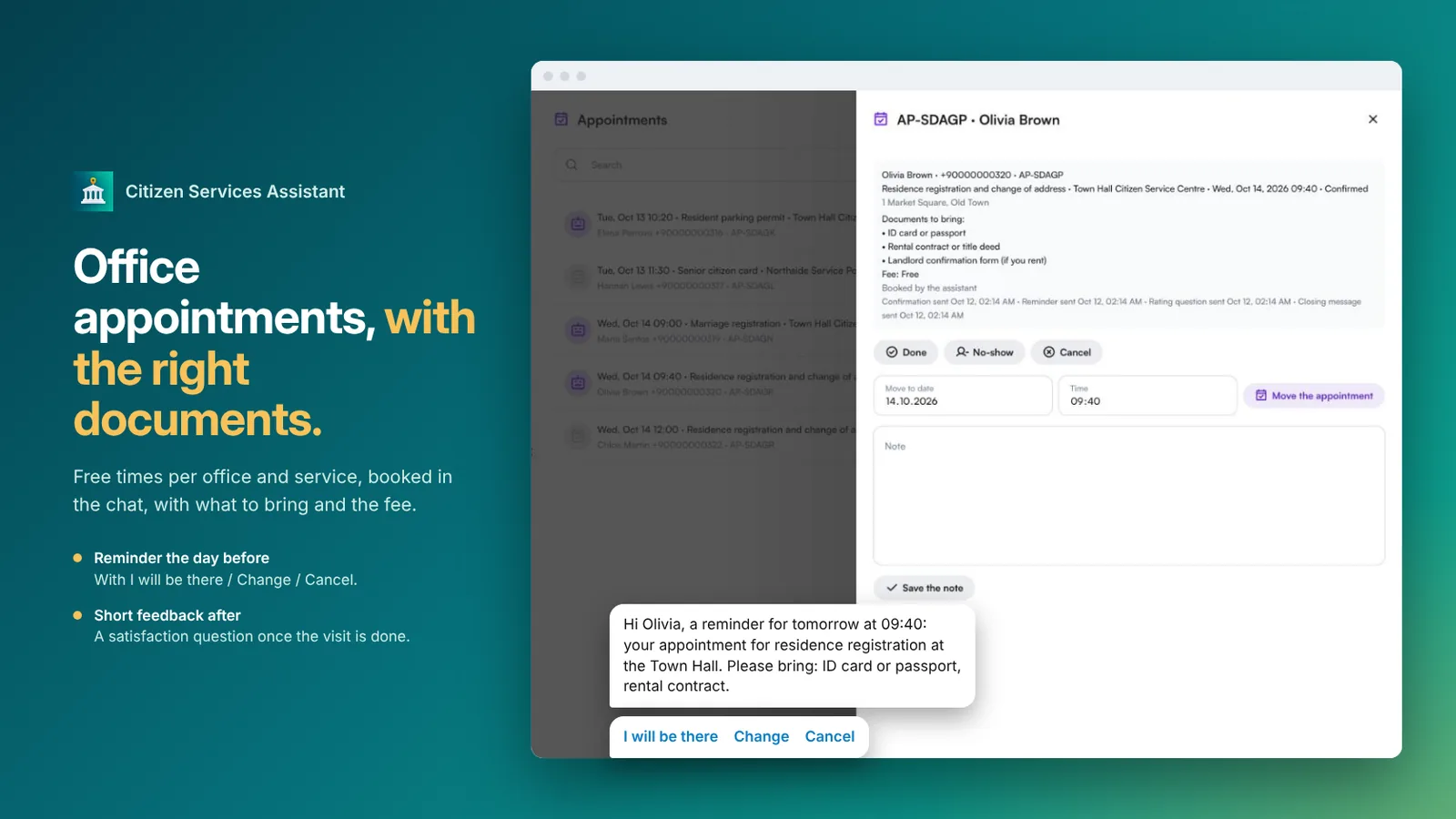
Free times per office and service, booked in the chat, with a reminder the day before and a short satisfaction question after the visit.
Sent as cards with capacity, fees and documents to bring. Registration in one tap, with a waiting list when full; when a place frees up, the next person is moved up and told.
Citizens subscribe by topic (roadworks, water cuts, events…) and district, only with their consent. Announcements go out a little at a time, with delivery counts.
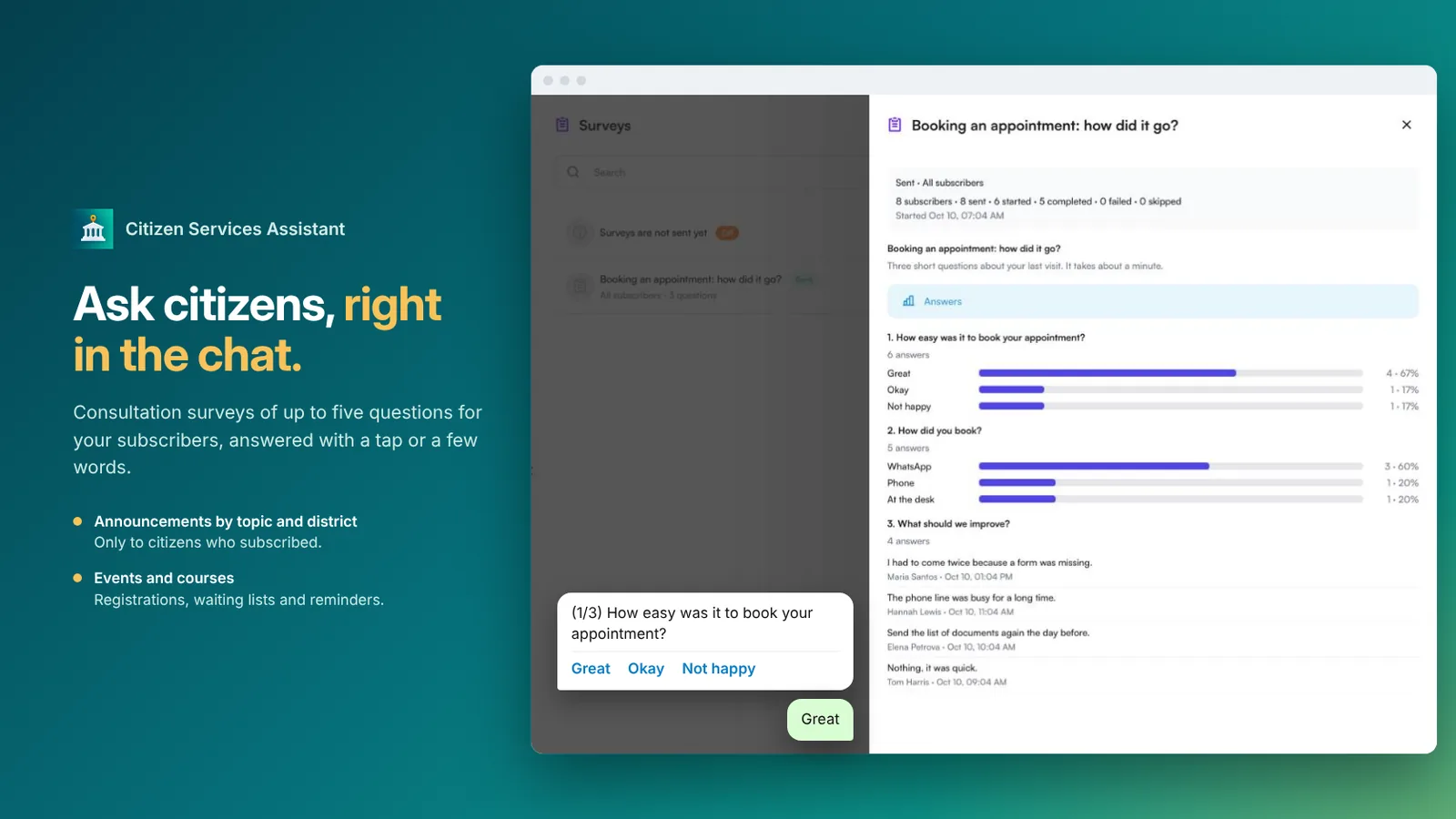
Up to five questions (rating, choice or written answer) for subscribers, answered right in the chat, with results per question. Off until you turn them on.
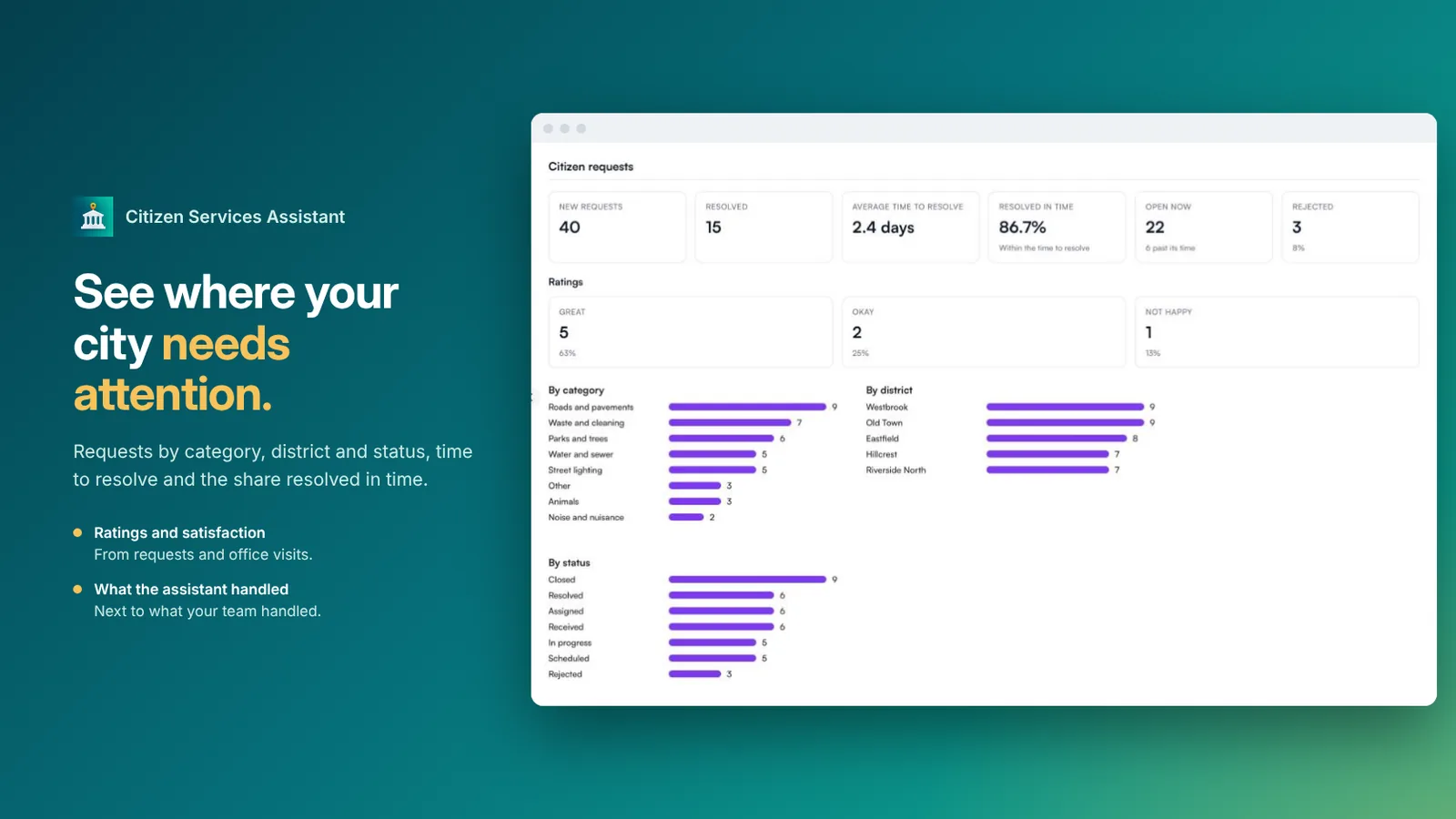
Over 7, 30 or 90 days: requests by category, district and status, time to resolve and the share resolved in time, ratings, appointments, events, subscribers, announcements and surveys, and what the assistant and the team handled.
From install to your first answered customer.
Install Citizen Services Assistant in your workspace.
Municipality or public institution. The categories, topics and wording follow it.
Give each request category its department and time to resolve, add your service guide, and the offices and services citizens can book.
Each automatic message has its own switch. WhatsApp templates are written and submitted on your number for you.
Step-by-step guide: every screen and setting of Citizen Services Assistant
New to MonoChat? This creates your account and workspace and installs Citizen Services Assistant for you. Already have an account? Sign in and the app page opens so you can install it.
FAQ
Straight answers before you install.
Municipalities and public institutions. You choose the kind of institution once, and the categories, topics and wording follow it.
The assistant picks the category, asks for a photo and the location pin when the category needs them, and gives a reference number. Each category goes to its department with its own time to resolve, and requests past their time are flagged to supervisors.
Yes. They hear when the work is scheduled, in progress, resolved or rejected, with your note, and are asked for a rating at the end. A low rating creates a callback for your team.
Emergencies are never turned into requests. The assistant gives your emergency instructions instead, and hands over to your team whenever a person is needed.
No. This app is for public services. It is not for political parties, candidates or election campaigns, which WhatsApp does not allow.
WhatsApp, Instagram and web chat, around the clock, in the citizen’s own language, including voice messages.
Install them into the same workspace.
AI assistant
Point it at your website and get an AI assistant that answers your customers on WhatsApp, Instagram, Telegram or your website chat.

Salon booking
An AI front desk for salons that books appointments on WhatsApp and Instagram, sends reminders and brings clients back.

Studio booking
An AI front desk for fitness, pilates and yoga studios that books classes and free trials on WhatsApp and Instagram, runs the waitlist and turns trials into members.

Patient coordination
An AI patient coordinator for dental, aesthetic, hair transplant and eye clinics that answers in every language on WhatsApp and Instagram, sends your treatment cards, books or arranges call-backs, and follows up after treatment.
Car rental booking
An AI booking desk for car rental companies that quotes real prices for the dates asked on WhatsApp and Instagram, takes bookings, collects licence and ID photos, sends pick-up and return reminders and handles roadside problems.
Real estate
An AI front desk for real estate agencies that sends matching listings as WhatsApp cards, books viewings with reminders, tracks where every lead comes from, runs project launch campaigns, and handles tenants’ rent, documents and repairs.

Car dealers & workshops
An AI front desk for car dealers and workshops that sends matching cars from your stock as WhatsApp cards, books test drives and service visits, takes part-exchange details, gets extra work approved with one tap, and sends a payment link when the car is ready.

Hotels & travel
An AI front desk for hotels, resorts and travel agencies that quotes your real room rates and sends rooms as WhatsApp cards, books stays, tours, restaurant tables and airport transfers, sends deposit payment links, and takes guests’ requests during their stay.

Education
An AI admissions office for language schools, course centres, schools and universities that recommends programs, books trial lessons and placement tests, takes applications and documents in the chat, and sends fee installment reminders with payment links.

Non-profit
An AI donor desk for charities and foundations that shares your campaigns, takes donations in the chat with a code and the way to pay, sends receipts and field photos and video to donors, and registers volunteers.

Retail
An AI store desk for shops and chains that shows products and stock per store, takes click & collect reservations, tracks orders, runs a loyalty club with points and coupons, and sends campaign messages.

E-commerce
An AI shop desk for online stores that shows products with a checkout link, tracks orders, recovers abandoned carts, handles return requests and sends campaign messages, connected to Shopify or your own platform.
Marketing
Sends WhatsApp template messages to people who fill your Facebook and Instagram Lead Ads forms, after the delay you choose, from the channel and template you pick, and stops when someone on your team or the customer has already taken over.

Integration
Turns leads and orders from your MonoChat conversations into ClickUp tasks, and brings what your team changes in ClickUp back to MonoChat: a message to the customer, a note, a tag, an event for your flows, profile fields and comments.

Marketing
Asks your customers for a Google review after their visit, on WhatsApp and your other channels, in their own language, with your review link for each branch. Your CRM, POS or a file sends the customers; MonoChat sends the request at the right time, fairly.
AI assistant
Build an AI assistant from your website: it learns your products, policies and FAQs and answers customers on WhatsApp and every channel.

AI tools & flow nodes
Ready-made AI tools and flow nodes for your own flows: web search, opening hours, handover, webhooks, routing and more.
Productivity
Turn conversations into tasks: assign them to your team, track their state, discuss them with comments and set reminders, right next to the chat.
Developer API
Send approved WhatsApp templates from your own systems with one API call; the conversation then continues in MonoChat.
Developer API
Get a direct link to a customer’s conversation from your own systems; the customer and the conversation are created if they do not exist yet.

Reports
See which ads and posts bring you messages: every chat started from a click-to-WhatsApp or Instagram ad, by ad, day and channel.
Start automating today
Install it free from this page. New to MonoChat? Your account and workspace are created for you.
No credit card required • Cancel anytime
Start with $150 of MonoChat credit.
$150 to get started.
One code per business, 30 days to redeem, no card needed.